What to do if it looks like everything is gone | Final Cut Pro Help Live
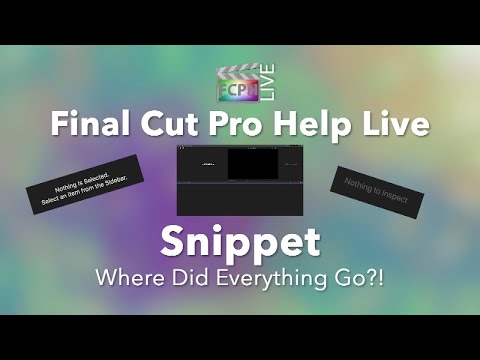
Opening Final Cut Pro and seeing a completely gray screen with nothing loaded is one of the worst things to run into, but there is no need to panic. In this clip you will learn why it happens and how to open or find your library so your clips and projects come back.
Steps
- Look at the browser at the top left. This is where you sort through your content, such as video clips, music and sound effects. If no library is open, you will not see anything.
- Remember the terminology. All of your clips, music, projects and videos are stored inside a Final Cut library. If Final Cut opens blank, it does not know which library to open.
- Click the Open Library button, or choose File, then Open Library. Everything else is grayed out, which tells you where to go.
- Look at the list of recent libraries. The right side shows where each one is stored. It might be on Macintosh HD, your internal storage, or on an external hard drive, like my drive called External Storage.
- Select your library, such as my stock library, and click Choose to open it.
- If your library is not in the list, click Other, which is the same as clicking Open Library. Then click the Locate button, which opens a Finder window you can use to navigate your computer or external storage to find the library.
- If you do not know where you saved it, open a Finder window from the Dock, and press Command-F, or choose File, then Find.
- Change the kind from Any to Other, and type Final Cut. Extend the kind and choose Final Cut Pro Library. Final Cut libraries start to show up in the list.
- Click a library and look at the bottom of the window. It shows the exact path where it is stored, which is also handy for backups with a date on them.
Tips
- This is a last resort. If you still cannot find your library, reach out for help.
- The path at the bottom of the Finder window tells you exactly where a library or its backup is stored.
- If your computer has nothing connected, your library is probably stored somewhere on Macintosh HD.
- Connect your external drive first if your library was stored there. It will not show up when the drive is not connected.
If it looks like everything is missing when you open Final Cut Pro, try these steps to get everything back.
Watch Episode 17: https://youtu.be/uL0C-_ix7_k
Related tutorials
-
Final Cut Pro Help Live (Replay) | Apple Previewed a New Version of Final Cut Pro at WWDC
Video showing WWDC 2020 keynote sourced from Apple Inc. Watch the entire WWDC Keynote at
-

Final Cut Pro Help Live (Replay) | Demo | Split Screen Template Update 1.3
Follow along with the same media. Go to EditStock.com and use coupon code FCPHELP www.editstock.com/discount/FCPHELP
-

GarageBand | Final Cut Pro Help Live
Quickly create simple background music using GarageBand. Click this link to watch the full replay of this Final Cut Pro Help Live episode