How to Use the Control-Tab Shortcut to Move Between Inspector Tabs While Editing Text in Final Cut Pro
Keyboard shortcut: ControlTab
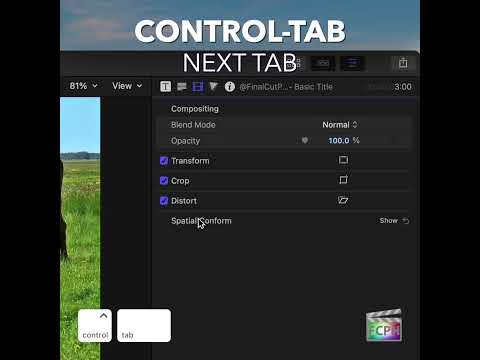
When you're working with text in Final Cut Pro, whether it's titles, captions, or text overlays, you spend a lot of time in the Inspector. The Inspector splits its controls across several tabs, such as Title, Text, Video and Info. Control-Tab moves you to the next Inspector tab, so you can jump between those controls without reaching for the mouse.
What Does Control-Tab Do in Final Cut Pro?
In Final Cut Pro, Control-Tab is the Next Inspector Tab command. Each press switches the Inspector to the next tab. Its partner, Control-Shift-Tab, goes back to the previous tab.
When you're editing a title or caption, that means you can go from the text itself to the font, size and alignment controls and on to the video controls with one keystroke at a time.
How Editors Can Use Control-Tab When Editing Text
1. Move from Wording to Formatting
Select a title in the timeline and open the Inspector. After you finish typing your wording on the Title tab, press Control-Tab to move to the Text tab, where you can adjust font, size, alignment and other styling.
2. Adjust Position and Scale
Keep pressing Control-Tab to reach the Video tab and its Transform controls, so you can reposition the title without clicking the tab bar.
3. Review Settings Quickly
When you check several settings on a caption or title, Control-Tab and Control-Shift-Tab let you page through the tabs in either direction.
4. Save Time on Larger Projects
For projects with a lot of text, like documentaries, interviews, or promotional videos, the savings add up when you handle many titles and captions.
How to Use Control-Tab in Final Cut Pro
- Select a title or caption in the timeline.
- Open the Inspector (Command-4) if it isn't visible.
- Press Control-Tab to move to the next Inspector tab.
- Press Control-Shift-Tab to go back to the previous tab.
The tabs you see depend on what you've selected. A title usually has Title, Text, Video and Info tabs.
Final Thoughts
The Control-Tab keyboard shortcut might seem small, but it makes working through the Inspector faster when you're editing text in Final Cut Pro. Learn it along with Control-Shift-Tab and you can move between a title's controls from the keyboard.
Happy editing!


Related tutorials
-
Boost Your Final Cut Pro Workflow: Mastering the Option-Shift-Tab Shortcut for Title Text
Many titles in Final Cut Pro have more than one text item. A lower third, for example, often has a line for a name and a line for a job title…
-
How to Speed Up Your Audio Editing Workflow in Final Cut Pro with the Option-Command-E Shortcut
If you're an editor working in Final Cut Pro , you know that audio is just as important as video when it comes to creating a polished, professional final…
-
Mastering the Control-Option-Command-Up Arrow Shortcut for 360° Video Editing in Final Cut Pro
Final Cut Pro is one of the most powerful video editing tools available, offering a vast array of features for editors working with both standard and…